
Flexible Rent Payments with Flex
Goldmark now offers Flex, a service that allows eligible residents to split their monthly rent into two smaller, more manageable payments. Flex is designed to give you more control over your month-to-month budget and help reduce financial stress.
With Flex, you can schedule your rent payments in a way that better aligns with your income directly through your Rent Café resident portal.

What is Flex?
Flex is a rent payment service that lets you split your monthly rent into two payments instead of paying the full amount at once. By spreading your rent payments out, you can better manage your cash flow and budget throughout the month.
Flex works directly within your Rent Café portal, where you can easily sign up, view your schedule, and make payments.
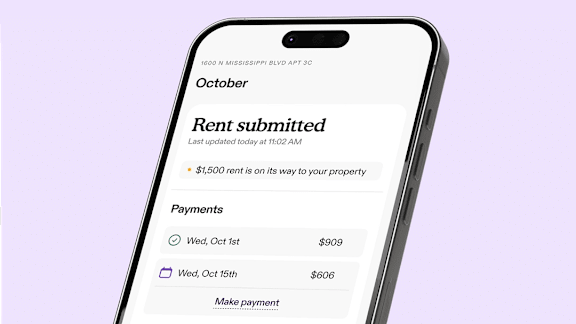
How Flex Works
Sign Up Through Rent Café
During your rent payment process, you’ll see an option to enroll in Flex. Simply choose Flex when paying rent in your Rent Café portal. To use Flex for the current month, approval must occur by 5:00 p.m. ET on the 4th. Signups after that apply to the following month.
Split Your Rent
Once approved, Flex divides your rent into two payments. You choose the schedule that works for you based on your financial needs. The first half must be paid at sign-up, with a soft credit check.
Make Payments Online
Payments are made directly through the portal using your debit or credit card. You can adjust your chosen payment dates as long as changes are made at least one business day in advance.
End of Month Requirements
To continue using Flex, your balance must be paid in full by 11:59 p.m ET on the last day of the month.
A Flexible Way to Pay Rent
Flex is designed to help you stay on top of your finances by giving you more choice in how you pay rent each month. Whether splitting payments helps you manage expenses, smooth out cash flow, or stay more organized with your budget, Flex offers a straightforward and convenient option that fits your needs.
Need Support?
If you have questions about using Flex, visit their How to Get Support page or visit their Help Center directly.